How to Find Relevant Leads and Market Opportunities in Reddit Relevance
How to Find Relevant Leads and Market Opportunities in Reddit Relevance
Not every valuable Reddit conversation looks like a direct lead. Some users are comparing competitors, describing adjacent workflow problems, asking repeated questions, or discussing a pain point before they are ready to buy.
The Reddit Relevance dashboard groups these conversations into signal categories so you can review the right type of post for the task in front of you. This guide explains what each signal means, when to use each filter, and how to turn the feed into a practical lead and market research workflow.
Watch the full Loom walkthrough
What Signal Categories Are
Watch this section on Loom (0:40)
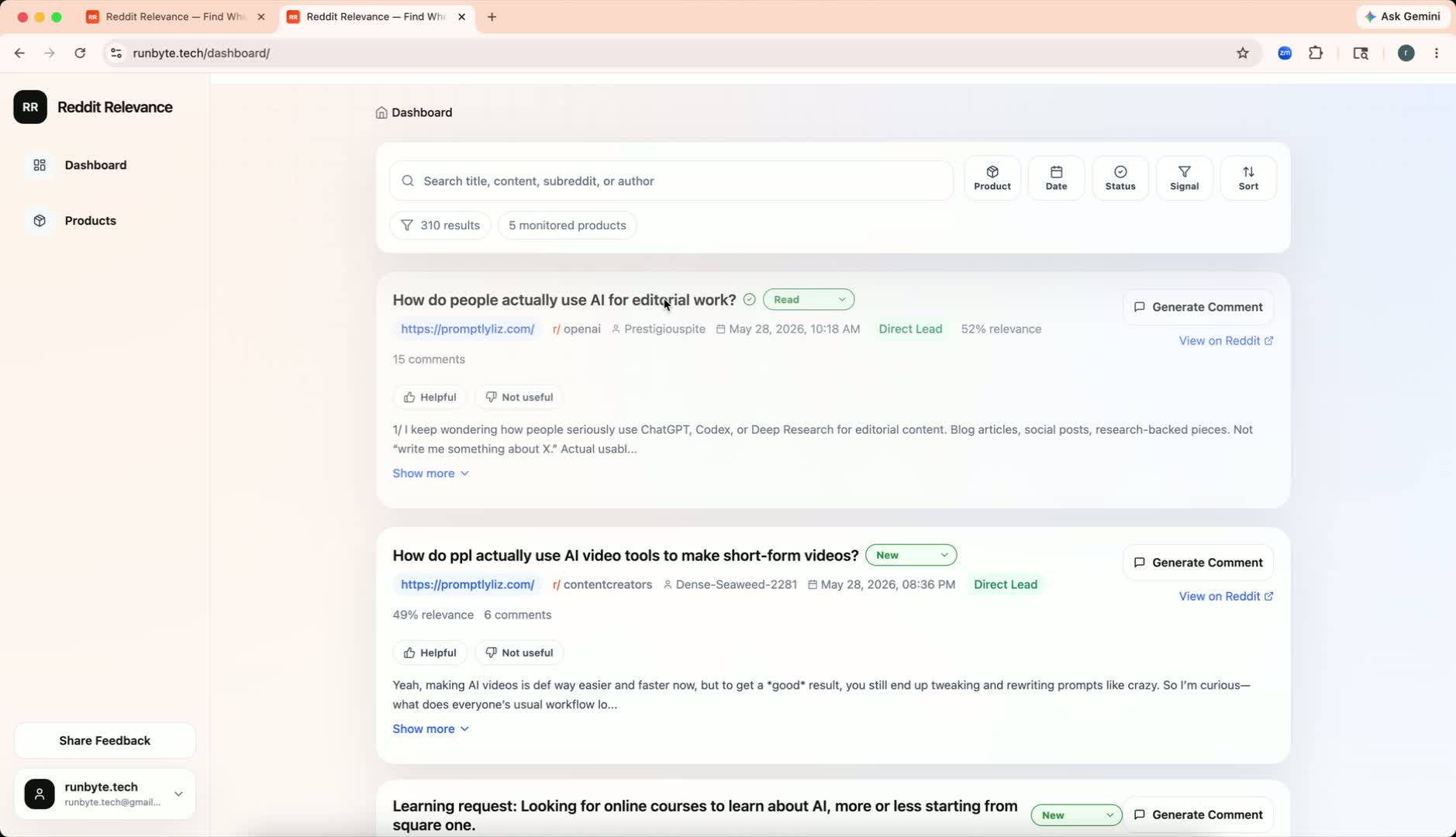
Signal categories classify saved Reddit posts by the kind of opportunity they represent. Instead of forcing every useful post into one generic feed, the dashboard separates them into four practical review modes:
- Direct Lead: People describing a problem your product can solve now.
- Competitor: People discussing, comparing, complaining about, or evaluating competitor products.
- Adjacent Opportunity: People in your target audience describing related problems, workflows, or use cases.
- Community Discussion: Broader conversations that reveal trends, objections, questions, or market language.
This matters because a narrow direct-lead view can miss useful conversations. Competitor complaints may reveal switching intent. Adjacent workflow problems may point to expansion opportunities. Community discussions may show the language your audience uses before they begin searching for a product.
How Each Signal Type Works
Watch this section on Loom (0:52)
Direct Lead
Use Direct Lead when you want posts that look closest to your existing qualification process. These are posts where someone is describing a current need, asking for recommendations, or showing intent around the problem your product solves.
Direct leads are best for:
- Daily sales review
- Reply prioritization
- Finding urgent buyer intent
- Maintaining your existing lead workflow
Competitor
Use Competitor when you want to understand how people talk about alternatives in your category. These posts can be especially useful because they often include comparison language, frustrations, missing features, pricing objections, and switching signals.
Look for:
- Complaints about a competitor
- Questions comparing products
- Requests for alternatives
- Comments about pricing, support, onboarding, or missing features
Competitor signals are useful for both outreach and positioning. Even when a post is not ready for a direct reply, it can tell you which problems matter most to the market.
Adjacent Opportunity
Use Adjacent Opportunity when you want related problems from the same audience you already serve. These posts may not mention your exact category, but they can reveal nearby workflows, underserved use cases, or future product directions.
Look for:
- Similar pain points in a related workflow
- Repeated manual workarounds
- Expansion opportunities for your product
- New use cases from the same audience
Adjacent opportunities are especially useful for product research, content ideas, and discovering markets that are close to your current wedge.
Community Discussion
Use Community Discussion when you want a broader view of what people are saying in your market. These posts may not be immediately actionable as leads, but they can reveal recurring questions, objections, vocabulary, and emerging themes.
Look for:
- Common complaints
- Repeated beginner questions
- New trends worth monitoring
- Language your audience uses to describe the problem
This category is strongest for market research, messaging, and early opportunity discovery.
How to Filter Posts by Signal
Watch this section on Loom (1:23)
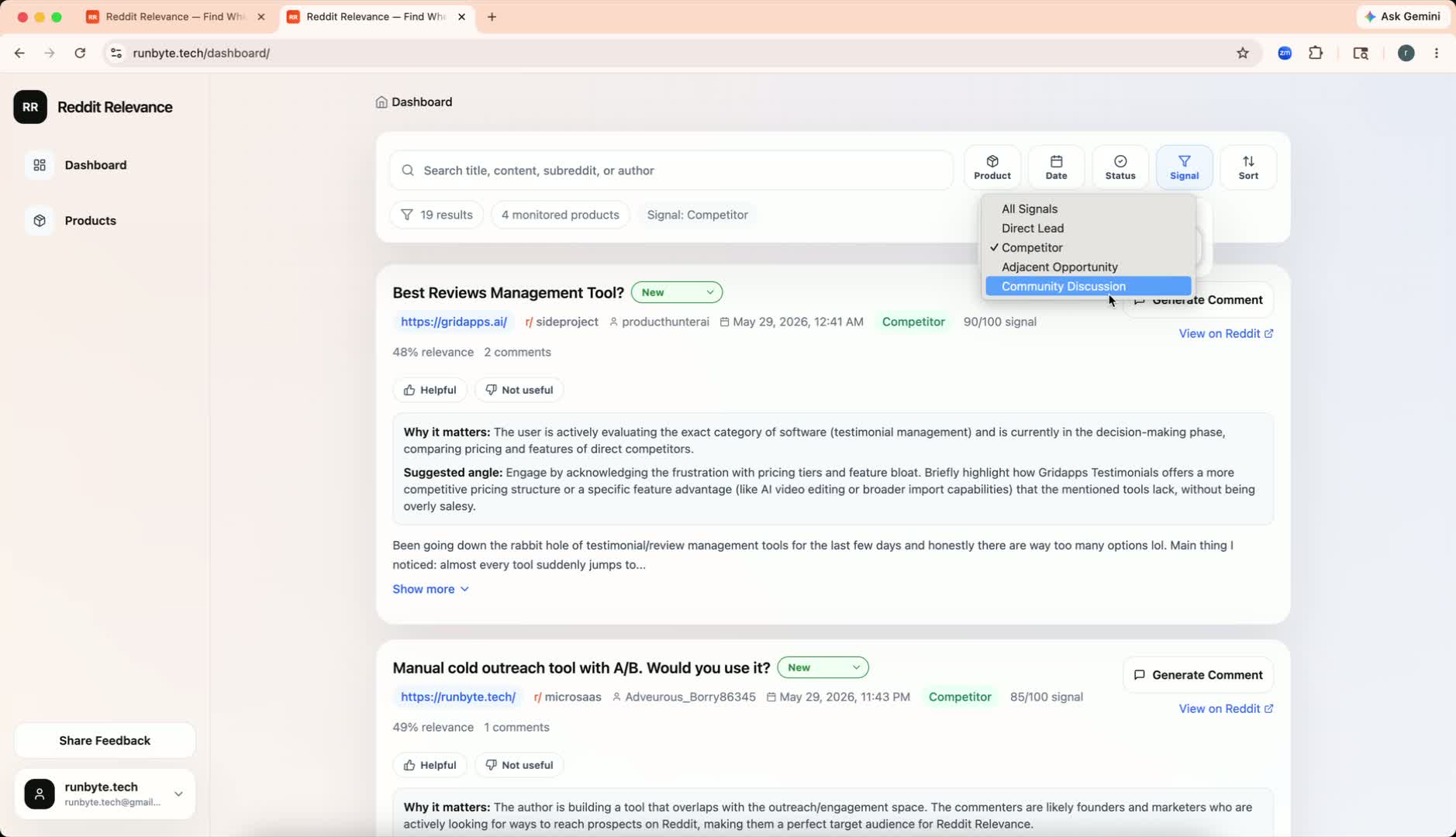
- Open the Reddit Relevance dashboard.
- Find the Signals filter.
- Start with All Signals if you want a broad scan of everything the system found.
- Choose a specific signal category when you want to narrow the feed.
- Review the posts in that category and save the ones worth acting on.
Starting broad is useful when you are learning what the dashboard is finding. Once you understand the mix of posts, filtering by category helps you move faster.
Recommended Review Workflow
The best workflow depends on what you are trying to accomplish that day.
For sales outreach
Start with Direct Lead, then review Competitor. Direct leads show immediate intent. Competitor posts often reveal people who are unhappy with existing options or actively comparing alternatives.
For positioning research
Start with Competitor, then review Community Discussion. Competitor threads show what people like and dislike about the current market. Community discussions show the broader language and objections around the problem.
For product and market discovery
Start with Adjacent Opportunity, then review Community Discussion. This combination helps you find related workflows, repeated pains, and early signals that may not yet look like direct buying intent.
For a fast daily scan
Use this order:
- Direct Lead for immediate opportunities.
- Competitor for switching or comparison intent.
- Adjacent Opportunity for nearby problems worth tracking.
- Community Discussion for broader market learning.
Which Filters to Prioritize
Watch this section on Loom (1:57)
If you only have a few minutes, prioritize Competitor and Adjacent Opportunity.
These categories are easy to overlook in a normal lead feed, but they often contain the most useful market intelligence. Competitor discussions can reveal active dissatisfaction. Adjacent opportunities can reveal where your audience is struggling before they know what solution to search for.
Direct leads are still important, but they are usually the most obvious posts. The broader signal categories help you catch useful conversations that would otherwise stay hidden.
How to Turn Signals Into Action
Finding the post is only the first step. For each useful signal, decide what kind of action it deserves:
- Reply: The post shows a clear need and you can add helpful context without sounding promotional.
- Save: The post is relevant but needs later review, follow-up, or team discussion.
- Research: The post reveals a theme, objection, or competitor insight worth tracking.
- Ignore: The post is broadly related but not useful enough to act on.
Treat signal categories as a discovery layer, not a final qualification decision. A category helps you understand why a post may matter, but you should still read the post and decide whether it fits your goals.
Practical Tips
- Start with All Signals when exploring a new product or market.
- Use Direct Lead for immediate outreach and daily review.
- Use Competitor for positioning, alternative-seeking posts, and switching intent.
- Use Adjacent Opportunity for product expansion and nearby workflow pain.
- Use Community Discussion for messaging, objections, and trend discovery.
- Keep a short list of useful examples so you can recognize patterns over time.
Final Takeaway
Relevant Reddit opportunities are not limited to people asking directly for your product. The most useful conversations often show up as competitor frustration, adjacent workflow pain, or broader community discussion.
By reviewing the dashboard through signal categories, you can separate urgent leads from deeper market intelligence and build a more complete view of where your product fits.
Full walkthrough: Watch the Loom video
Ready to Find Your Reddit Audience?
Reddit Relevance helps you find your next customer already asking for you on Reddit.
Try Reddit Relevance